Let the table fit the task
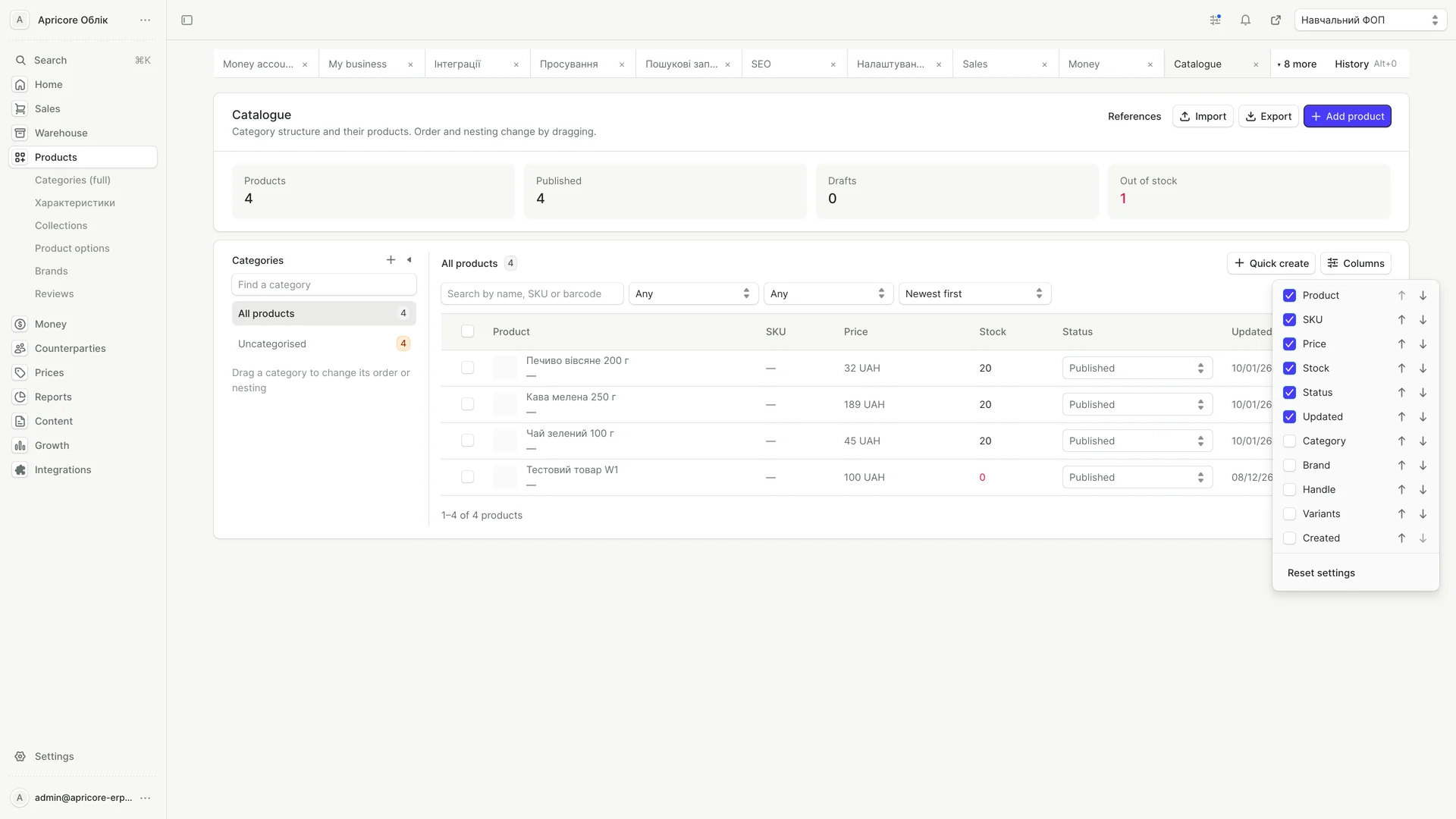
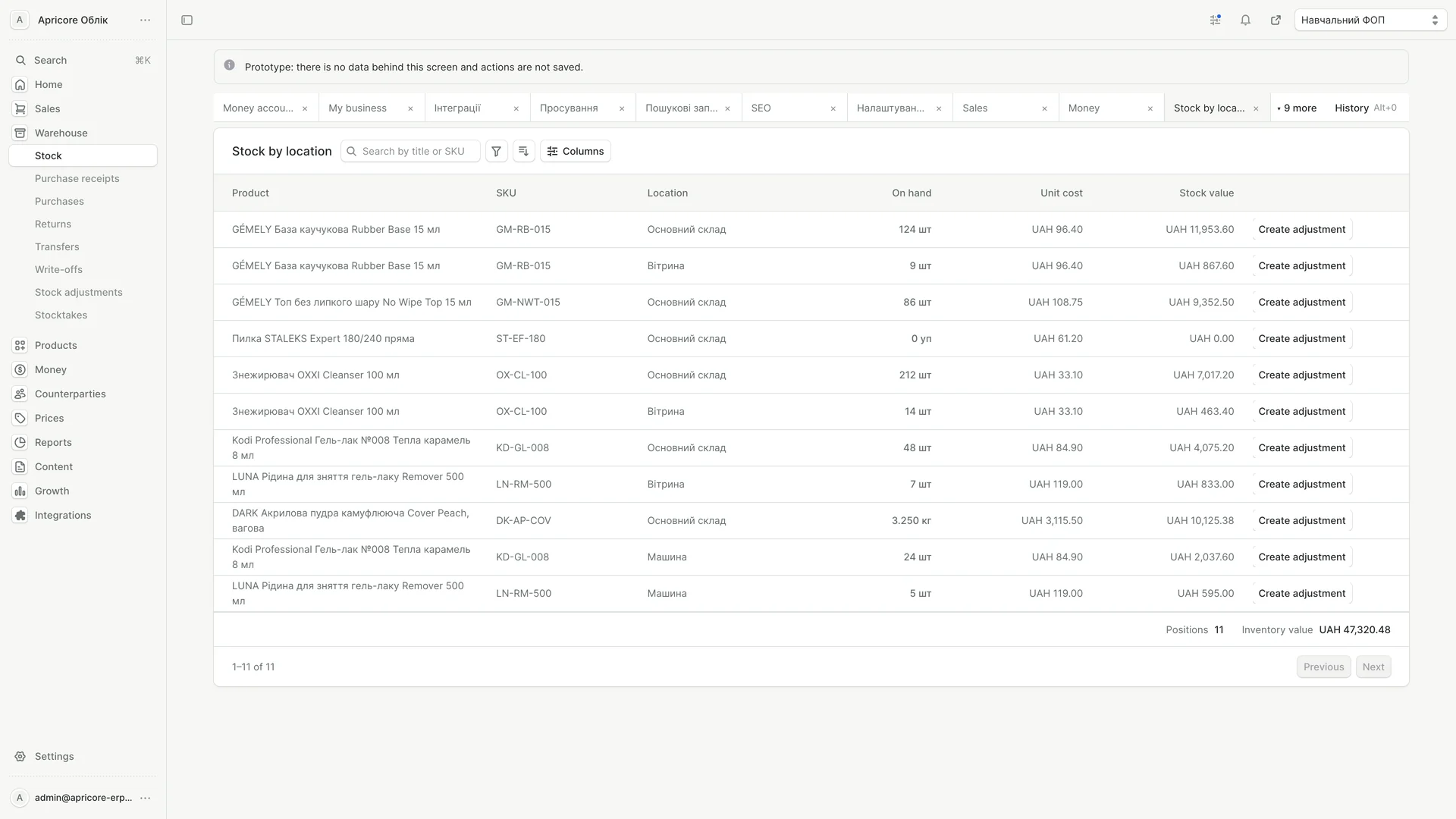
Selectable columns let the catalog show the information relevant to the current view. Filters and actions stay close to the table.
01 / The idea
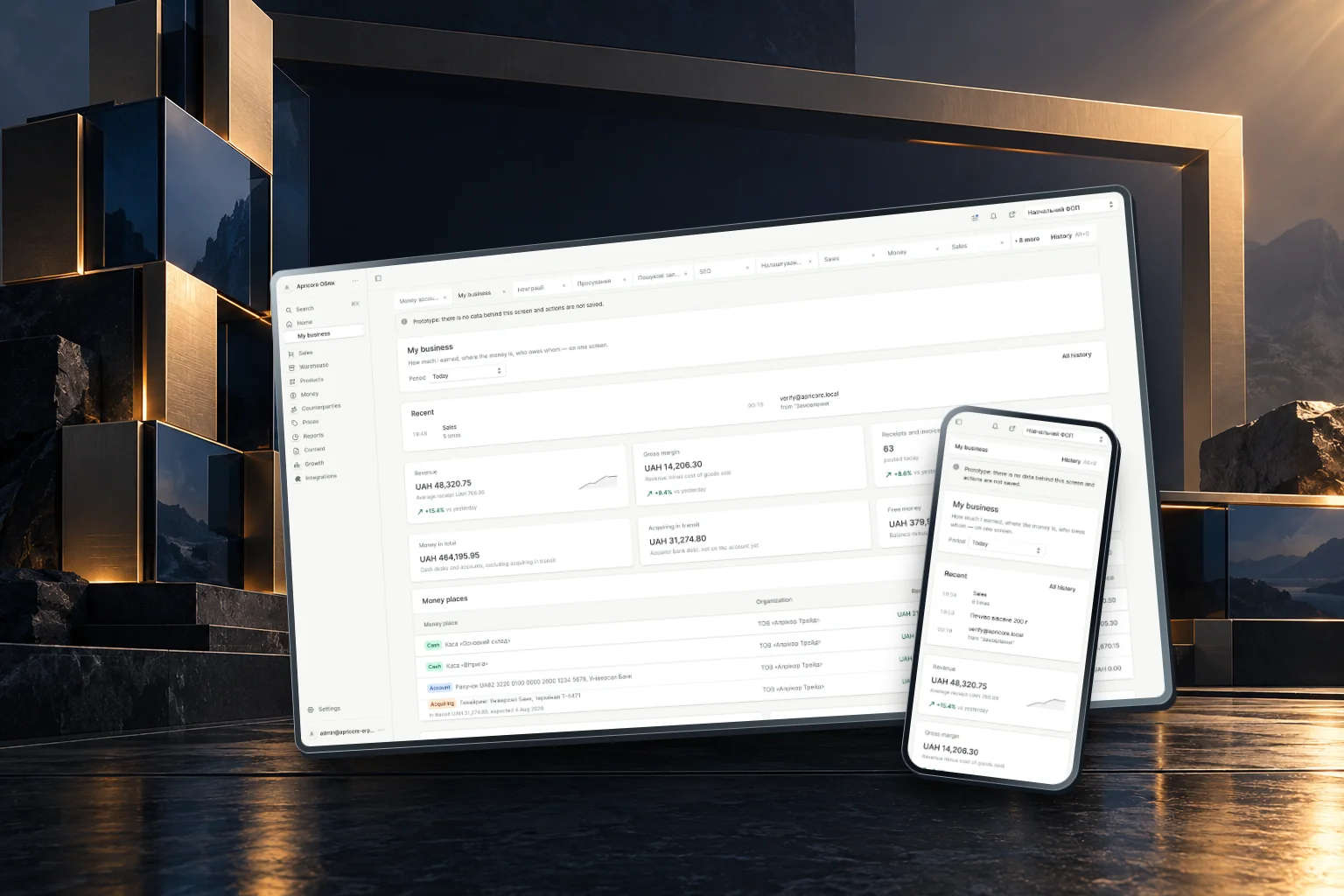
Apricore brings the everyday details of running a business into a shared interface. Products, stock, orders and reports sit within the same navigation, with a business overview tying them together.
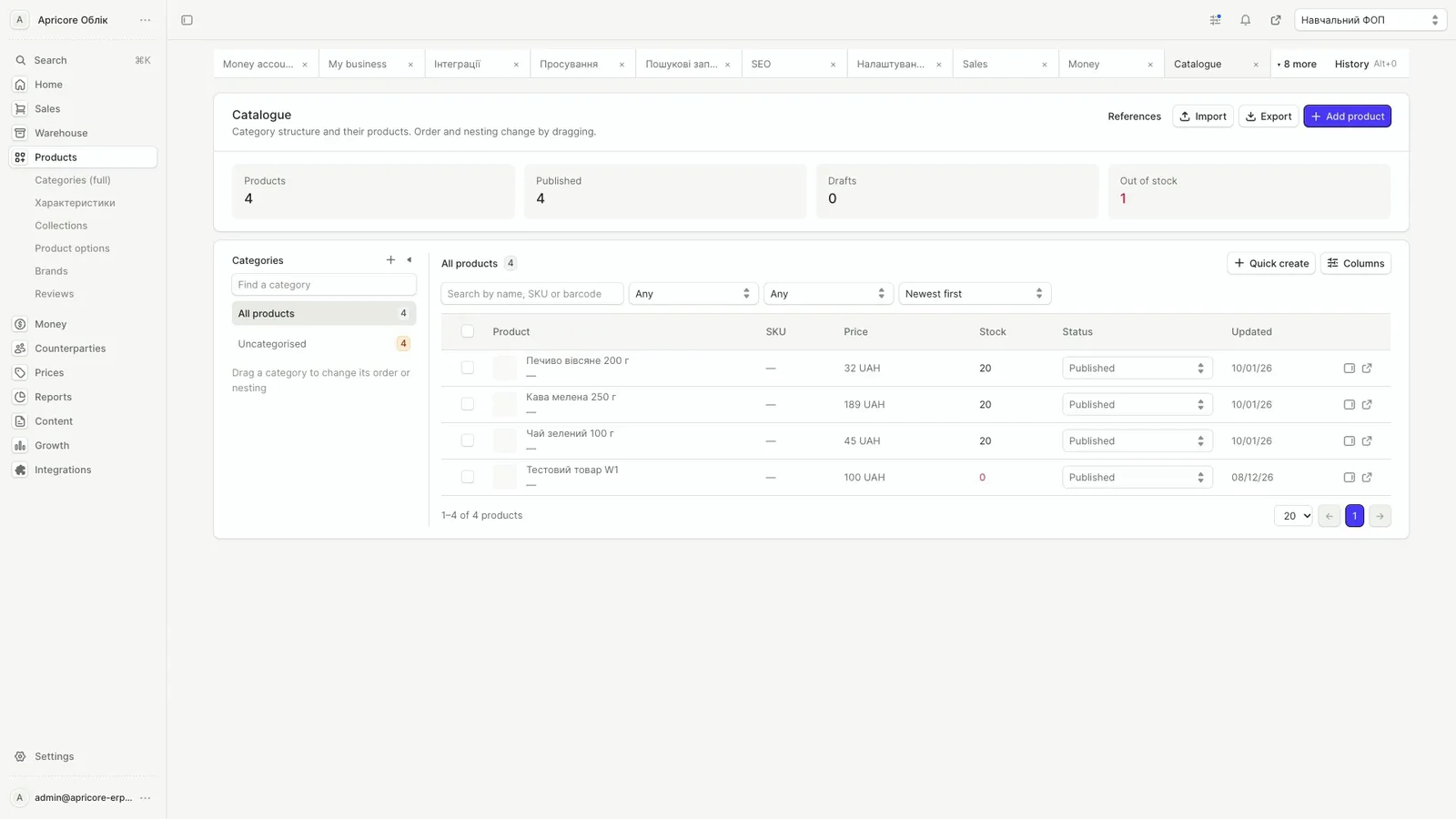
The catalog can adapt to the information a team needs to see. Individual records and grouped reports provide a closer view without introducing a separate visual language.
02 / In motion
Choose the catalog columns you need, open a product record and group a report to see the relationships in the data.
03 / The experience
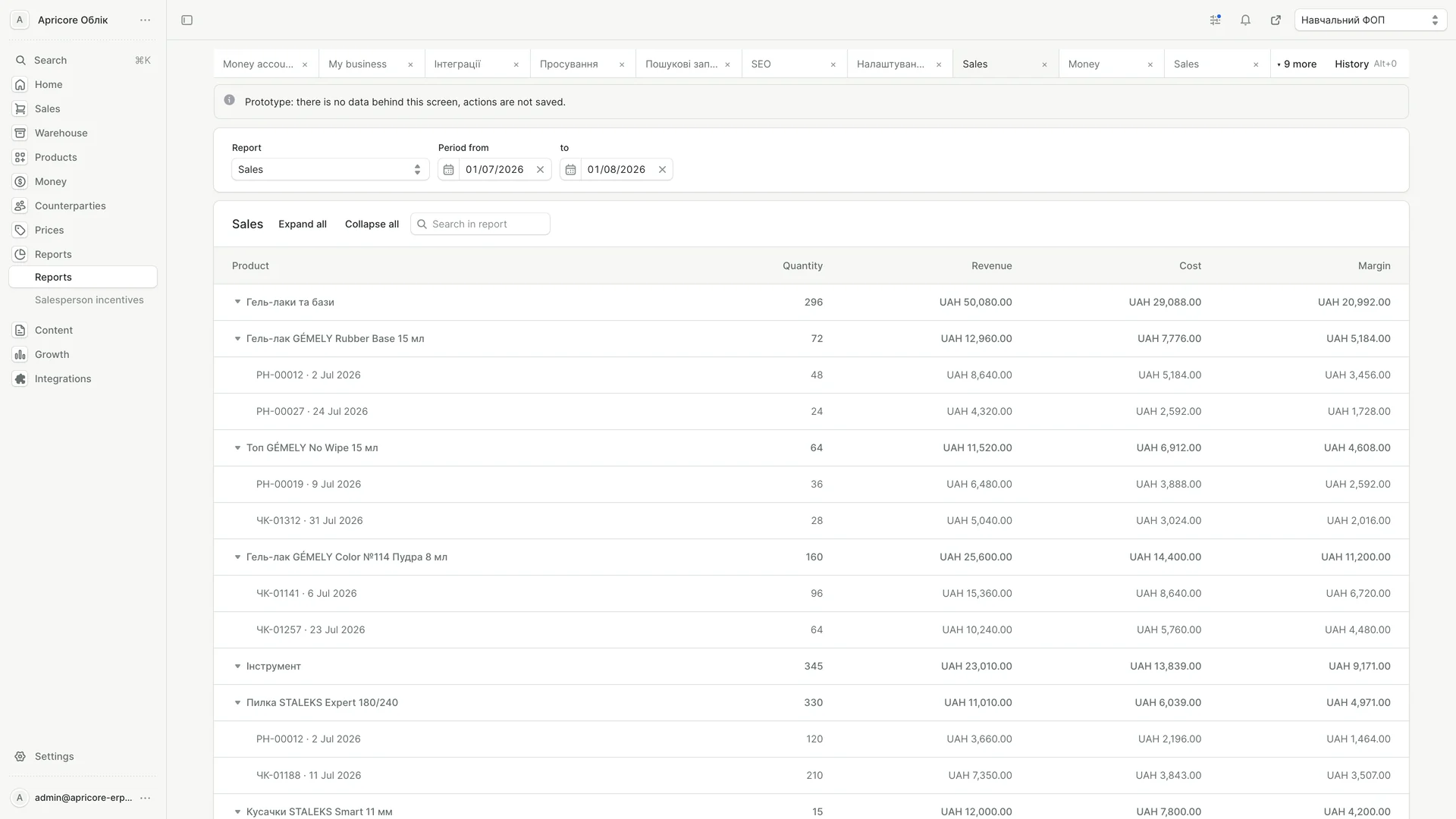
A consistent table structure connects the catalog to individual product records and reporting. Each view brings a different level of detail into focus.
04 / Design decisions
Selectable columns let the catalog show the information relevant to the current view. Filters and actions stay close to the table.
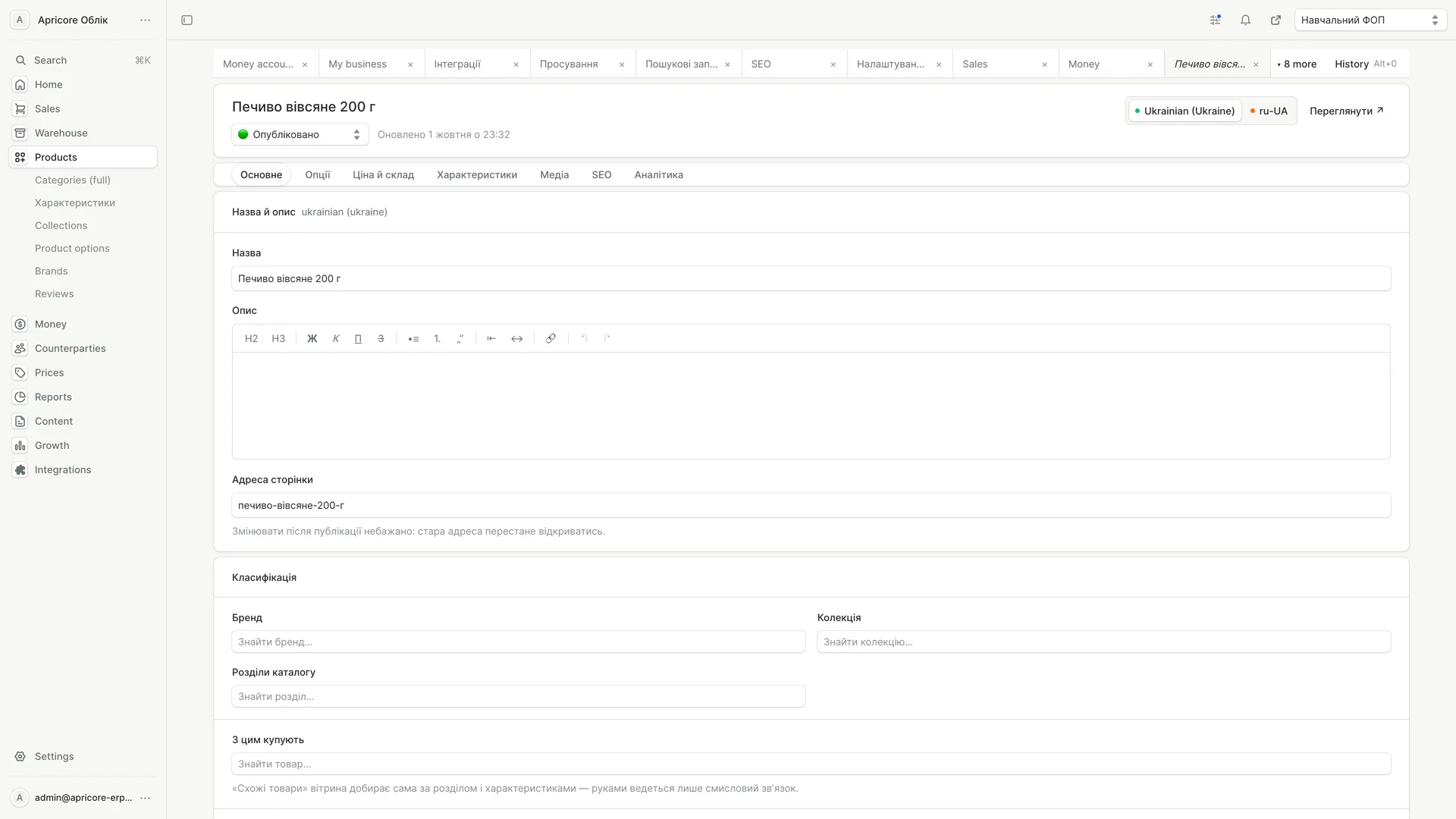
The product opens within the application shell. A consistent hierarchy groups the fields while the main navigation stays available.
The business overview, inventory and reports use the same interface language. Grouped rows provide a route from summary information into detail.
05 / The mobile experience
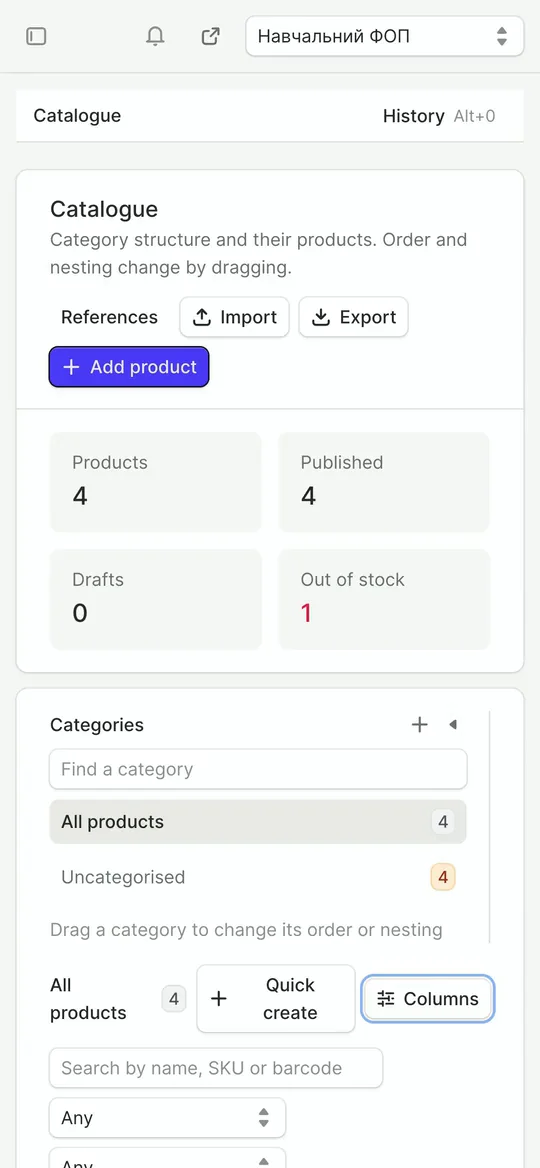
Open a product from the catalog on a phone. The narrower layout preserves the field groups and access to application navigation.
Apricore. This case presents the supplied version of the application. Screens and films are direct captures, selected and edited for this presentation.
Displayed records and figures belong to the recorded interface. The cover combines actual application captures with an AI-generated background scene.